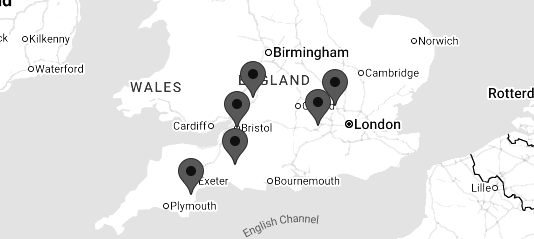
Bristol,Gloucestershire, Wiltshire, Somerset, Dorset, Devon, Cornwall and the South West
MULTI AWARD WINNING IT SUPPORT, SOLUTIONS AND SERVICES
DfE. Digital & Technology Standards




What are Digital and Technology Standards?
The Department for Education (DfE) has published a set of digital and technology standards for schools and colleges in England – covering everything from internet connections and cybersecurity to leadership roles and digital planning.
The goal is simple: to ensure that schools and trusts provide safe, stable and well-managed digital environments. That includes protecting data, supporting teaching and learning and making smart decisions about technology investments.
Digital standards apply to senior leadership teams, safeguarding leads, IT staff, governors and anyone involved in running or improving digital systems in education settings. Each digital standard is supported by technical recommendations, role-specific actions and clear points for when schools should meet them.
In many cases – particularly around online safety – schools should already be fully compliant. In other areas, the digital standards should be followed during upgrades, contract renewals or if current systems are unsupported.
That’s a lot to manage – and that’s where Soltech IT’s team of specialists can help.
Let’s take a step-by-step look at the digital standards put forward by the DfE.
Get in touch>
Contact Us


DfE Broadband Internet Standards for Schools
Reliable broadband underpins teaching, safeguarding and everyday operations.
The Department for Education requires all schools and colleges to use a full fibre broadband connection, such as a leased line or fibre-to-the-premises (FTTP). This ensures the performance and reliability needed to support cloud-based services, online safety systems and digital learning tools.
Primary schools must meet a minimum speed of 100Mbps download and 30Mbps upload, while secondary schools and colleges are expected to have 1Gbps symmetrical connectivity. Where full fibre is not currently available, schools should have a documented plan to upgrade at the next contract renewal.
Resilience is a key consideration. Schools should operate a secondary broadband connection, preferably using a different technology, with automatic failover to maintain continuity of service. This must be complemented by a properly configured firewall and content filtering solution that meets safeguarding expectations outlined in Keeping Children Safe in Education.
DfE Filtering and Monitoring Standards for Schools
Every school and college is required to have in place a filtering and monitoring system to fulfil their safeguarding duties under Keeping Children Safe in Education.
Filtering prevents access to harmful or illegal content, while monitoring detects risky behaviour or content after access. Together, they create a safer digital environment for pupils and staff.
Filtering must cover all school-managed devices with an education setting, both on-site and remotely. It should be active, up to date, able to identify users, and alert/flag concerning activity.
Monitoring systems should generate alerts for high-risk behaviour, enabling staff to respond quickly. While some monitoring can be manual, technical monitoring solutions are recommended for comprehensive coverage.
Clear roles and responsibilities are essential and must be assigned. Senior leaders make decisions with input from IT staff and designated safeguarding leads (DSLs). Governors or trustees provide oversight. DSLs review reports and respond to safeguarding concerns, while IT teams manage system setup and maintenance.
Filtering and monitoring systems must be reviewed annually, or whenever new systems, risks, or devices are introduced. Reviews should consider user needs, device coverage, policy alignment, and the effectiveness of reporting.
DfE Key requirements:
- Filtering must block illegal and harmful content, including material flagged by the Internet Watch Foundation (IWF) and the Counter-Terrorism (CTIRU).
- Systems should allow filtering by user type, e.g., separate profiles for staff and students with appropriate access levels as required.
- Monitoring should generate alerts for concerning activity and identify involved users.
- Safe search must be enforced for students. Bring-your-own-device (BYOD) access should be isolated from the main network unless filtered.
Filtering. We Also Supply
Educational Filtering for 100Mb+ TrueSpeed School Connections
DfE laptops, Desktops and Tablets Standards for Schools
Devices must be secure, reliable and importantly fit for purpose throughout a school or college, supporting the curriculum, school administration and the schools digital strategy.
Schools and colleges must ensure that devices used by teachers, staff and pupils are safe and secure, capable and aligned with their wider digital strategy. Laptops, desktops and tablets should effectively support curriculum delivery, administrative processes and flexible access to digital systems throughout, while remaining secure, reliable and cost-effective.
Poor device selection can result in lost learning time, increased technical issues and much higher long-term costs.
Schools should regularly assess whether their current devices meet both educational and operational requirements. This includes compatibility with cloud platforms, curriculum software and safeguarding systems. Understanding who uses each device, how and where it is used, and whether it supports accessibility features and secure network access is essential.
Devices should meet or exceed the DfE’s minimum standards, including enterprise-grade operating systems, regular security patching and modern wireless connectivity.
All devices should be centrally managed to ensure consistent application of updates, filtering, monitoring and access controls.
Where mobile or remote use is required, device management solutions should support remote locking, data wiping and safeguarding. Devices must be recorded in an up-to-date asset register, and procurement decisions going forward, should be informed and based on an understanding of security, compliance and user needs.
Energy efficiency and sustainability should also be considered. Devices should be configured to reduce unnecessary energy consumption and disposed of in line with WEEE regulations and data protection requirements. Secure data sanitisation must be carried out when equipment is retired, with appropriate records maintained.
Reviewing device usage can often identify opportunities to repurpose equipment, helping schools and colleges to control costs and meet sustainability objectives.
DfE Wireless (WiFi) Network Standards for schools
Reliability and, high-performance of wireless access across a school or college is essential.
A strong, secure, and well-managed wireless network is a must in any modern school or college. Teachers, staff and students rely on constantly wireless connectivity for teaching, learning, and administrative tasks. The Department for Education expects schools and colleges to provide robust, site-wide access that meets these requirements.
Schools are required to meet performance and security standards by implementing the latest WiFi technology, currently Wi-Fi 6E or higher.
WiFi coverage must extend to all teaching and administrative areas within a school or college including outdoor spaces where required. Typically, this involves placing access points in every classroom, learning spaces and office administration areas, with higher-capacity devices in larger or high-traffic spaces.
Centrally managed wireless systems allow IT teams to monitor performance, deploy updates, address faults quickly, and balance network traffic. They should be scalable to meet future demand and regularly reviewed to keep pace with evolving standards and emerging threats.
Security is non-negotiable. Wireless networks must prevent unauthorised access and safeguard sensitive data, both from internal misuse and external threats. This includes secure authentication (e.g., WPA3), role-based access, encrypted traffic, and multi-factor authentication for privileged users.
Guest access should be clearly separated from the main network to maintain security.
DfE Network Cabling Standards for Schools
Network cabling underpins a school’s entire digital environment, connecting classroom technology, administrative systems and cloud services.
Inadequate or outdated cabling can restrict performance, limit future growth and increase ongoing maintenance costs. The Department for Education (DfE) therefore expects schools and colleges to upgrade legacy infrastructure where feasible, ensuring all new cabling supports long-term reliability, capacity and safety.
Category 6A (Cat 6A) is now the minimum standard for copper cabling, providing the bandwidth and resilience required for high-speed networks, modern devices and wireless connectivity.
For fibre cabling, particularly between buildings or core network areas, OM4 should be used as a baseline to support higher data volumes over extended distances.
Data
Cabling
DfE Network Switching Standards for Schools
Resilient switching is essential for safe, reliable access across your school or college.
Network switches form the core of a school’s digital learning infrastructure, enabling reliable and secure access to online resources for teachers, staff and students. They support both wired connections and wireless access points, and their performance directly affects the stability and responsiveness of the entire network. Outdated or underperforming switches can lead to slow speeds, outages and increased security risks, disrupting teaching, learning and administrative activities.
The Department for Education (DfE) recommends replacing legacy equipment with enterprise-grade switches that deliver gigabit connectivity to end devices, higher-capacity bandwidth links to core systems, and power for essential services such as wireless access points, IP telephony and CCTV to mention a few.
Critical network components should be designed for resilience, with multiple connection paths and protection from power disruption through uninterruptible power supplies (UPS), avoiding any one single point of failure.
Effective network wide management is equally important. Switching infrastructure should be centrally managed, allowing IT teams to monitor performance, identify and resolve issues quickly, and deploy firmware and security updates consistently across schools and colleges.
Switches must also support robust security controls, including access management, data protection and secure authentication, particularly for mobile devices and guest access.
Procurement
Network Switches
DfE Server and Storage Standards for Schools
Schools and colleges must have secure, efficient infrastructure that supports continuity and compliance
Servers and storage systems are a critical part of a school’s digital environment, particularly when data is hosted on-site rather than in the cloud. The Department for Education (DfE) expects schools and colleges to maintain infrastructure that is secure, resilient and energy-efficient, with clear processes to manage risk, downtime and data protection obligations.
To minimise operational disruption, servers should be configured for fault tolerance, using features such as mirrored disks, dual power supplies and automatic failover. Backup systems—whether on-site or cloud-based—must be implemented and tested regularly to ensure data can be restored quickly if needed.
Security is paramount. Servers must be managed in line with data protection legislation and the National Cyber Security Centre (NCSC) best practice guidance, including access controls, data encryption, secure update management, and alignment with the school’s broader safeguarding and cyber security policies.
The physical environment is equally important. Servers should be housed in secure, well-ventilated spaces, protected from fire, water and other hazards, with adequate power and cooling to meet equipment requirements. Where possible, cloud-based solutions should be considered to reduce environmental impact and limit reliance on local infrastructure.
DfE Cloud Solution Standards for Schools
Where possible secure, flexible, cloud-based systems should be used by schools and colleges.
Cloud solutions enable teachers, staff and students to access systems and data from anywhere, on any device with an internet connection. The Department for Education (DfE) encourages schools to adopt cloud-based services where feasible, as an alternative to on-site infrastructure. This approach can reduce costs, improve resilience and simplify day-to-day IT management.
Before migrating to the cloud, schools should audit existing systems, data and files to determine what can be moved securely. Reliable broadband and a strong internal network are essential to maintain performance. Effective migration also requires proper technical setup and staff training, ensuring all users can operate the new systems confidently and efficiently.
Cloud platforms must meet rigorous data protection and cyber security standards. Key requirements include encrypted data transfer, robust account and access management, and the ability to securely export or restore data if needed.
Cloud Solutions
for Education
DfE Cyber Security Standards for Schools
Schools should actively manage cyber risks through strategy, oversight and regular assessment.
Cyber security is a fundamental requirement for all schools and colleges, with clear expectations set out in the Department for Education’s (DfE) digital and technology standards. The risk of disruption, data loss and safeguarding breaches resulting from cyber incidents continues to increase and remains a risk. Schools must therefore demonstrate robust technical controls, strong leadership oversight, clear risk management processes and carryout regular termly reviews.
A cyber risk assessment must be completed annually and reviewed every term. This assessment should identify where sensitive data is held, how systems are accessed, and the risks arising from teacher and staff behaviour, device usage and third-party suppliers. Findings must be recorded in a live risk register and fed into the school or colleges wider digital strategy and business continuity planning.
Effective cyber risk management requires collaboration across each school, MAT or college. IT support teams, safeguarding leads, data protection officers, school business professionals and senior leaders all have a role to play. Overall accountability sits with the SLT digital lead, who is responsible for coordinating the assessment process and ensuring agreed actions are implemented. Where IT services are outsourced, schools must ensure providers meet these standards and can evidence their own cyber resilience, i.e Cyber Essentials Certified.
Cyber Security
DfE Digital Leadership and Governance Standards for Schools
Schools, multi academy trusts (MAT's) and colleges should have structured leadership, accountability and governance across the digital estate.
The Department for Education (DfE) expects every school and college to appoint a named member of the senior leadership team (SLT) with regulatory and statutory responsibility for digital technology. This role ensures that digital planning is embedded within whole-school development and is not treated solely as a technical or operational issue.
.
Robust registers must be maintained to support compliance, financial control and risk management. These include a contracts register to record licences and subscriptions, an asset register to track hardware and equipment, and an Information Asset Register (IAR) to document the data held by the school. All registers should be kept accurate and up to date, with clear ownership and regular review.
Digital systems must also be fully integrated into the school or college’s disaster recovery and business continuity plans. These plans should clearly define how critical services will be restored following an incident and be reviewed.
Digital Accessibility Standards
Accessibility within school's, multi academy trusts (MAT's) and colleges must be planned, embedded and understood across the whole of the educational establishment.
The Department for Education’s (DfE's) digital and technology standards are clear that accessibility must be built into all policies, planning and procurement, rather than addressed only in response to individual needs. Schools, MAT's and colleges are expected to take a proactive, inclusive approach that supports all users from the outset.
In addition, all relevant strategies and policies—including the digital technology strategy, curriculum policy and SEND policy—should be reviewed through with accessibility in mind. This means understanding the diverse needs of users, consulting with the school community, and clearly setting out how digital accessibility will be supported across online platforms, communications and learning resources.
Accessibility expectations must also extend technology decisions. Hardware and software must include and support features such as text-to-speech, screen magnification, captioning and language tools. Devices must be compatible with assistive technologies and configured securely without restricting access to accessibility features. Curriculum planning should ensure that digital learning can be accessed in ways that promote inclusion and equity for all learners.
Training is essential to effective implementation. Staff must understand what accessibility tools are available and how to support students in using them. Those involved in procurement must be able to assess accessibility within product specifications, licensing and ongoing support. Where appropriate, schools should request implementation guidance from suppliers to ensure solutions meet their needs.
Get in touch>
Contact Us

Meet the team
Luke Bowden
Schools Engineering Manager
Luke Bowden is our Schools Engineering Manager and one of the most experienced members of the Soltech IT team, having been with the company since 2017..
Luke specialises in supporting educational environments, managing our team of school engineers, and ensuring the effective delivery of services across our school portfolio. His extensive technical knowledge, leadership skills, and commitment to customer service make him a trusted and highly respected member of the team.